

Download CoView – Free Comic Book Reader for Windows, Mac, Android & iOS
Overview
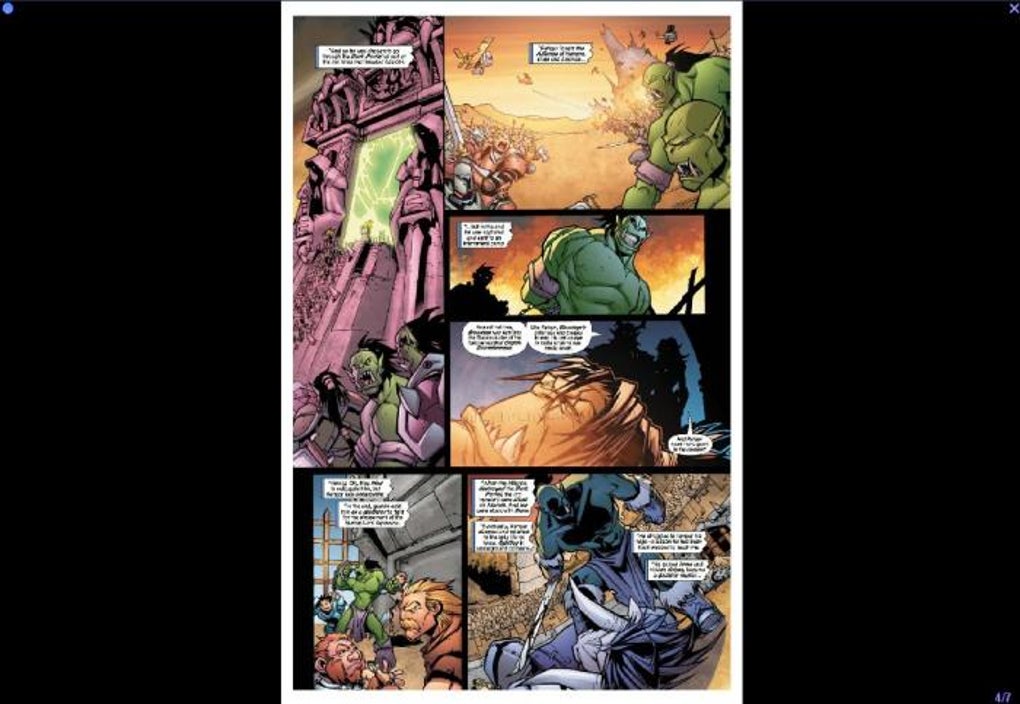
CoView is a purpose‑built digital comic reader that puts the artwork front‑and‑center, stripping away any unnecessary clutter that can distract from the storytelling experience. Designed primarily for desktop environments, the app offers a minimalist interface that maximizes screen real‑estate for your comics, letting you enjoy each panel with the same intimacy you would get from a physical book. While the lack of traditional menus may feel unconventional at first, CoView relies on a powerful set of hotkeys that give seasoned readers rapid, mouse‑free navigation. This approach appeals to comic enthusiasts who value speed and immersion over flashy UI elements. CoView supports a broad range of file formats, including the industry‑standard CBR and CBZ archives, as well as raw image collections stored in folders or compressed archives. Its built‑in zoom tool lets you explore fine line work and color gradients, while the bookmark feature remembers your exact page, making it easy to resume reading after a break. Although the language setting resets after each launch—requiring you to press F1 then I to switch back to English—this minor inconvenience is outweighed by the app’s stability and smooth rendering. Whether you’re a casual fan or a serious collector, CoView offers a secure, free solution for reading digital comics on your computer without compromising visual fidelity.
Key Features
- Universal Format Support: Reads CBR, CBZ, PDF, and plain image files (JPG, PNG, GIF) stored in folders or archives.
- Minimalist Full‑Screen Mode: Removes all UI distractions, dedicating 100 % of the screen to the comic page.
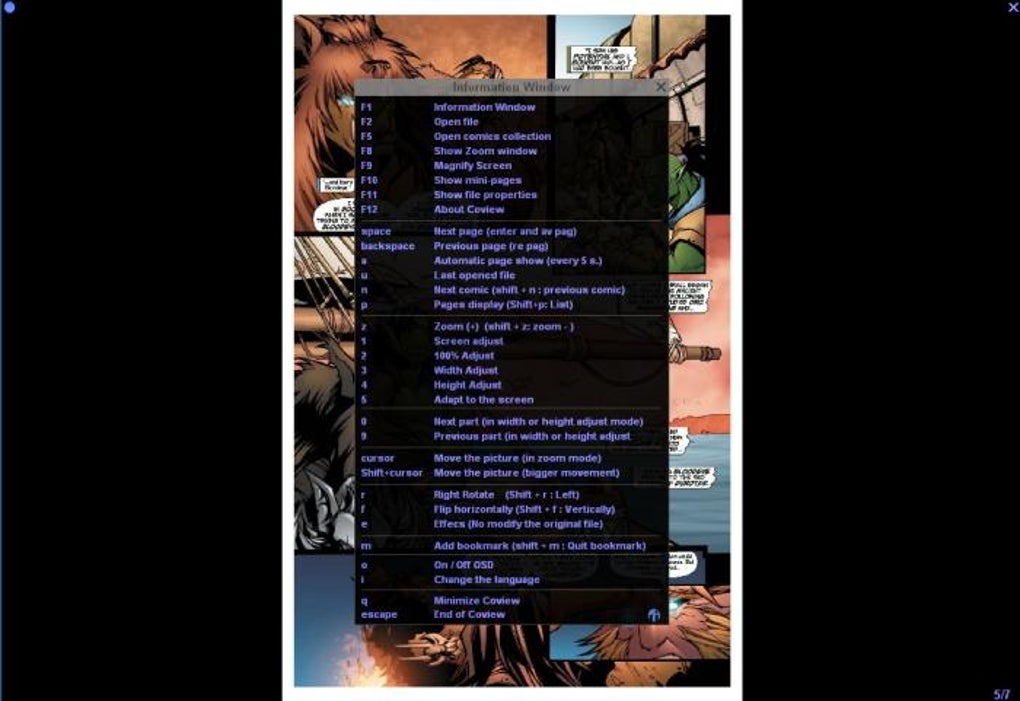
- Hotkey Navigation: Flip pages, zoom, bookmark, and access the hidden menu using customizable keyboard shortcuts.
- High‑Precision Zoom: Smooth, incremental zoom levels let you inspect line art, textures, and hidden easter eggs without pixelation.
- Bookmark System: Save your exact reading position and return instantly, even after closing the application.
- Language Switching: Quick toggle between supported languages via F1 → I (note: current version does not persist the selection).
- Lightweight & Secure: No internet connection required; the app runs locally, protecting your library from external threats.
- Cross‑Platform Availability: Native builds for Windows, macOS, Android, and iOS, ensuring consistent performance across devices.
Each feature has been crafted with the comic reader in mind. The universal format support eliminates the need for third‑party converters, while the minimalist design keeps the focus where it belongs—on the artwork. Hotkey navigation is especially valuable for power users who want to flip through pages with a single keystroke, reducing the reliance on mouse clicks that can interrupt the reading flow. The zoom engine uses vector‑friendly scaling to maintain crispness, a crucial factor for high‑resolution comics that contain intricate details. Though the language persistence issue may frustrate multilingual users, the quick toggle remains a handy workaround. Overall, CoView’s feature set reflects a deep understanding of the comic‑reading workflow, delivering a fast, secure, and visually rich experience that stands out among free alternatives.
Installation & Usage Guide
Getting started with CoView is straightforward. First, visit the official website or your device’s app store to download the latest version. For Windows and macOS, the installer is a single executable file (.exe or .dmg) that guides you through a typical install wizard—accept the license agreement, choose an installation folder, and click “Install.” On Android and iOS, simply tap “Install” from the Play Store or App Store, and the app will appear on your home screen. Once installed, launch CoView. Because the interface is deliberately sparse, the first thing you’ll see is a black screen with a subtle “Press F1 for menu” overlay. Press F1 to reveal the hidden menu, then use the following hotkeys to begin reading:
- O – Open a comic file or folder.
- ← / → – Navigate to the previous or next page.
- + / - – Zoom in or out incrementally.
- B – Add a bookmark at the current page.
- G – Go to a specific page number.
- I – Switch interface language (default is English).
To open a comic, press O and browse to your CBR, CBZ, PDF, or image folder. CoView will automatically index the files and display the first page. Use the arrow keys to flip pages, and the zoom controls to inspect artwork. When you’re ready to pause, press B to set a bookmark; the next time you launch CoView, simply press O again and the app will remember the last bookmarked page, allowing you to resume instantly. For users who prefer mouse interaction, right‑clicking on the screen also opens a context menu with basic options such as “Open,” “Zoom,” and “Bookmark.” The combination of hotkeys and minimal mouse reliance makes CoView both fast and accessible, ensuring that you spend more time reading and less time navigating menus.
Compatibility & System Requirements
CoView has been engineered to run smoothly on the most common desktop and mobile operating systems. The official builds support:
- Windows 10 and later (64‑bit).
- macOS 10.13 High Sierra and later (Intel and Apple Silicon).
- Android 7.0 Nougat and above.
- iOS 12.0 and later (iPhone, iPad, and iPod touch).
Minimum hardware requirements are modest: a dual‑core CPU, 2 GB of RAM, and at least 200 MB of free disk space for the application files. Because CoView processes comic pages locally, having a graphics card that supports OpenGL 2.0 (or Metal on macOS) ensures smooth rendering, especially when zooming into high‑resolution artwork. For the best experience on larger monitors (4K and above), a GPU with higher texture memory is recommended, though not mandatory. The app does not require an internet connection after installation, making it ideal for offline reading on airplanes or in remote locations. CoView also respects system dark mode settings on Windows and macOS, automatically adjusting its background to match your OS theme for a comfortable reading environment in low‑light conditions.
Pros and Cons
Pros
- Free to download and use, with no hidden ads or in‑app purchases.
- Supports virtually every comic file format, eliminating conversion steps.
- Minimalist full‑screen UI maximizes page visibility.
- Highly responsive hotkey system for fast navigation.
- Accurate zoom that preserves image quality for detailed panels.
- Bookmark feature remembers your exact spot, even after closing the app.
- Cross‑platform availability ensures consistent experience on Windows, macOS, Android, and iOS.
Cons
- Language selection does not persist between sessions, requiring manual reset each launch.
- No traditional menu can be confusing for first‑time users unfamiliar with hotkeys.
- Lacks advanced library management tools such as tagging or series organization.
- No cloud sync for bookmarks; progress is stored locally only.
- Occasional performance hiccup when opening extremely large archive files on older hardware.
Overall, CoView delivers a solid, free solution for comic readers who prioritize visual fidelity and quick navigation over extensive library features. The minor drawbacks—primarily the non‑persistent language setting and the learning curve for hotkeys—are easily outweighed by its speed, format versatility, and clean reading environment.
Frequently Asked Questions
Can CoView open encrypted CBR/CBZ files?
Yes, CoView can handle password‑protected archives. When you attempt to open an encrypted CBR or CBZ file, a prompt will appear asking for the password. After entering the correct password, the comic will load normally. This feature ensures that users can keep their personal collections secure without needing additional decryption tools.
Is there a way to customize the hotkeys?
In the current version, hotkeys are fixed and cannot be remapped through the UI. However, power users can edit a configuration file located in the application’s data folder to assign alternative keys. The file is well‑documented, and the community provides sample mappings for common preferences. Future releases aim to include an in‑app hotkey editor.
Does CoView support cloud storage services like Dropbox or Google Drive?
CoView itself does not integrate directly with cloud providers, but because it reads files from any accessible folder, you can place your comic library inside a synced Dropbox or Google Drive folder. The app will treat those files like any local ones, allowing you to read your collection across multiple devices as long as the cloud client keeps the folder synchronized.
How does CoView handle high‑resolution (4K) comics?
CoView’s rendering engine is optimized for high‑resolution images. It loads pages as tiles, which minimizes memory usage while preserving detail. When you zoom into a 4K comic, the app maintains smooth panning and crisp visuals without noticeable lag, provided your hardware meets the recommended specifications (dual‑core CPU, 4 GB RAM, modern GPU).
Is there any risk of malware when downloading CoView?
No. CoView is distributed from its official website and reputable app stores, and the installer is digitally signed. The application runs locally without any background services or internet connectivity required after installation, which greatly reduces the risk of unwanted software or data collection.
Conclusion & Call to Action
CoView stands out in the crowded field of comic readers by delivering a no‑frills, high‑performance experience that respects the art at the heart of every issue. Its support for virtually every comic format, combined with a clean full‑screen UI and lightning‑fast hotkey navigation, makes it an ideal choice for readers who want to dive straight into the story without distraction. While the language persistence quirk and limited library management may require a bit of adjustment, these are minor trade‑offs for a free, ad‑free solution that works across Windows, macOS, Android, and iOS. If you’re looking for a secure, lightweight tool that keeps your comics crisp and your reading flow uninterrupted, CoView is ready to download and use today. Click the link below to get the latest version, install it on your device, and start turning pages like never before.
0.00 USD – Download CoView for free now!
Overall Rating: 4.5 out of 5
CoView delivers an excellent reading experience with its minimalist design, broad format support, and precise zoom capabilities. The only drawbacks are the non‑persistent language setting and a learning curve for hotkeys, but these are quickly outweighed by the app’s speed and visual fidelity. Ideal for comic lovers seeking a free, secure, and cross‑platform reader.







